Virtual try-on for fashion brands: every colourway, one model
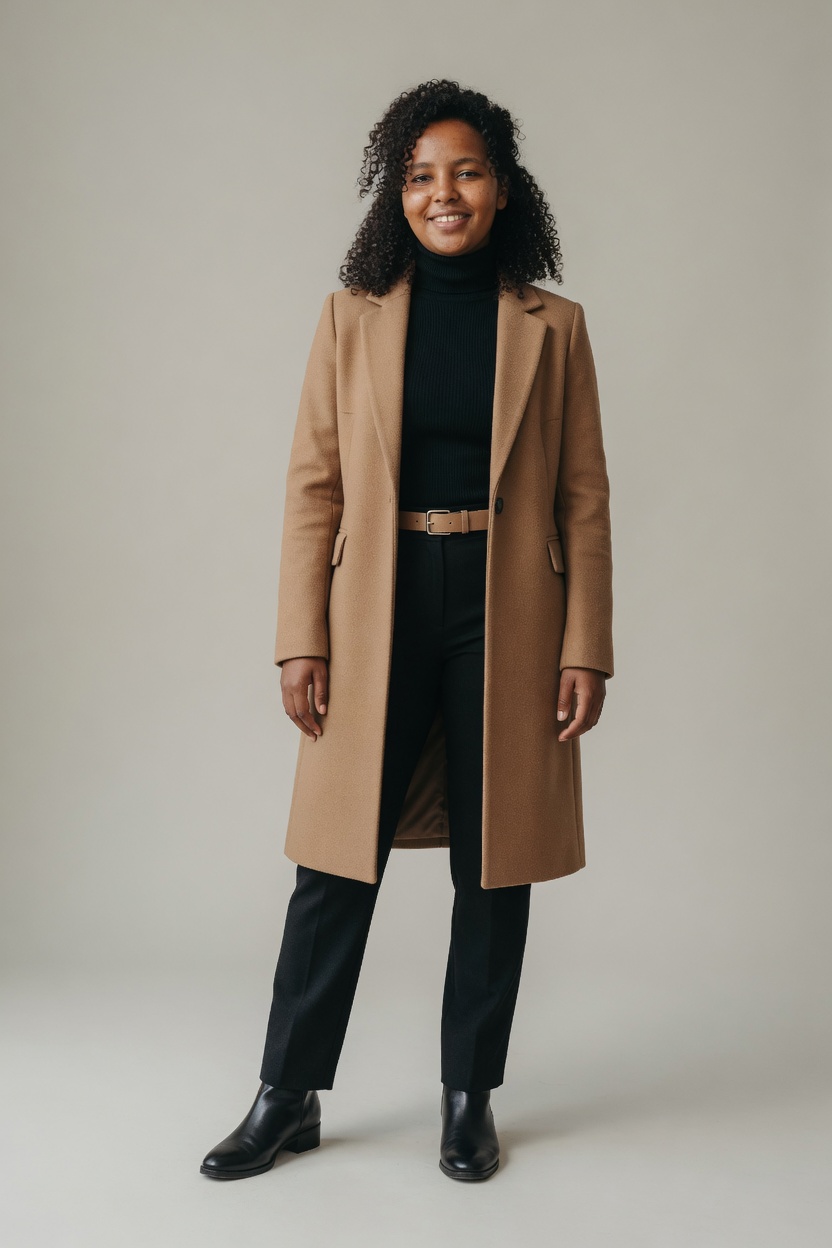
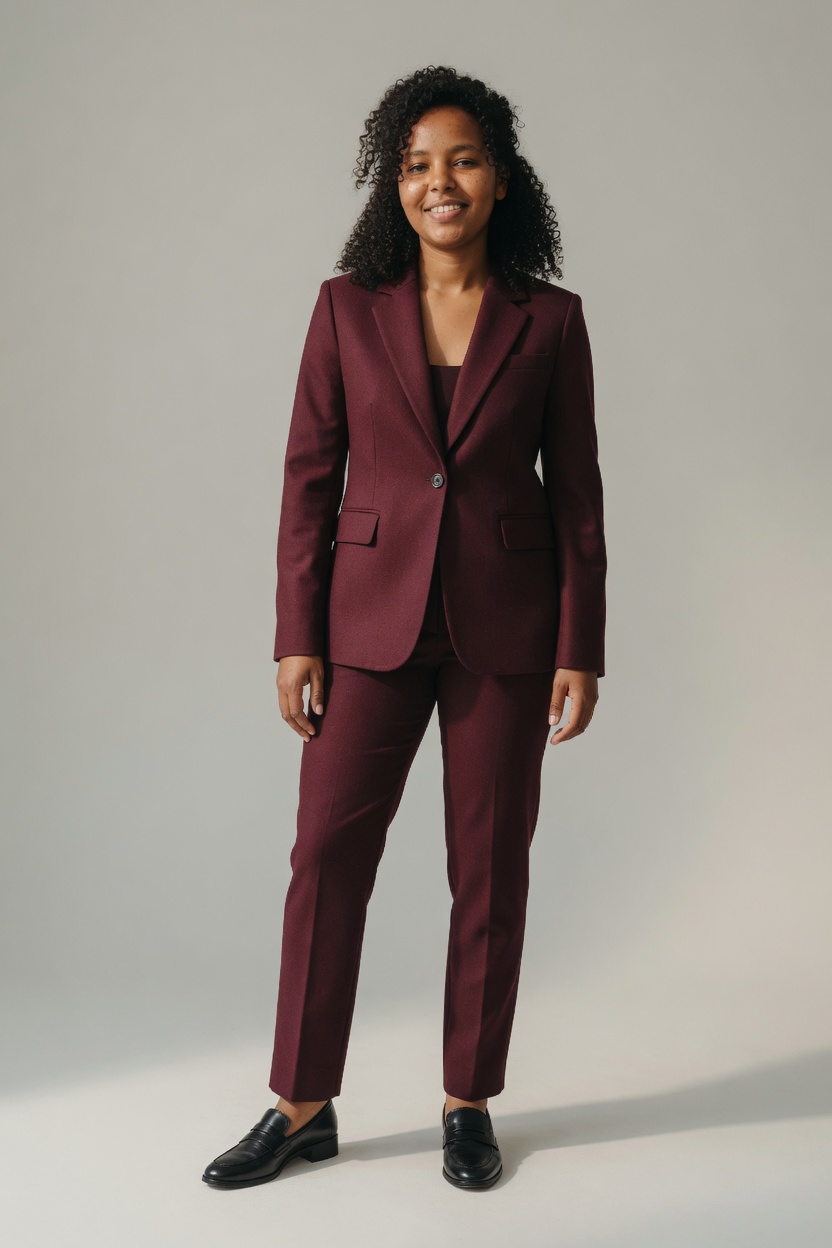
Virtual try-on for fashion brands means showing a garment on a model digitally instead of photographing every version of it. The most practical use for a small brand is simple: take one approved on-model photo, then show the same model, in the same pose and light, wearing the same piece in every colourway you sell. No second shoot, no sample in each colour, and a product page where the customer can compare colours like for like.
This guide covers what virtual try-on can do for your catalogue, where it works best, where it doesn't, and what to check before the images go live.
Two different things called "virtual try-on"
The term is used for two separate ideas, and it helps to know which one you need.
- Customer try-on: a shopper uploads a selfie or uses their camera and sees the item on themselves. This needs an app or plugin on your store, and it works best for glasses, jewellery, make-up and some footwear.
- Brand-side try-on: you, the brand, put your products on models to create the images and videos for your store, ads and social media. Nothing changes for the shopper except that the images are better and more complete.
Most small and mid-sized brands get more value from the second one first. A shopper who can't see what the olive version looks like on a person often won't buy it, whatever plugin you have.
Where brand-side try-on helps most
Many colourways, one photo shoot
If a hoodie comes in eight colours, a traditional shoot means eight samples, eight sets of outfit changes and eight rounds of retouching. Often brands shoot two colours on a model and show the rest as flat lays. With virtual try-on, the shoot covers one colour well and the others are generated from it, so every colourway gets the same on-model treatment.
New drops before stock arrives
Pre-orders and made-to-order pieces are hard to photograph because the product doesn't exist yet in every option. If you have a finished sample in one colour and fabric swatches for the others, the other versions can be shown on a model for launch pages and pre-order ads.
A consistent look across the catalogue
Catalogues built over several seasons often mix models, backgrounds and lighting. Using the same AI model across products makes collection pages look like one brand. It also makes it easier to put together "shop the look" outfits.
Accessories on a person
Bags, scarves, hats, belts and jewellery are usually shot on a plain background. A try-on image shows scale: how big the tote is on the shoulder, where the necklace falls, how wide the brim is.
Where to be careful
Virtual try-on is not right for every image, and being honest about its limits protects your returns rate and your reputation.
- Colour accuracy: screens and AI both shift colour. Always check generated colours against the real fabric or your Pantone references, and fix them before publishing.
- Fit and size: an AI image shows how a piece looks, not how a specific size fits a specific body. Keep size guides, measurements and fit notes on the page.
- Texture and detail: heavy embroidery, sequins, prints that must line up at seams, and fine hardware need a close check. Keep a real close-up photo for details customers care about.
- Platform rules: some marketplaces and ad platforms have rules about AI-generated or edited images. Check the current rules for each place you sell.
How to brief a try-on set
The better the input, the less correcting later. For each product, send:
- One clear photo of the product in each colourway: a flat lay, a ghost mannequin photo or a phone photo in daylight.
- One reference for the look you want: a model, a pose and a background, or a photo from your existing shoots.
- Colour references and any details that must be exact (logo position, button colour, print scale).
- Where the images will be used: product page (usually 4:5 or square), reels and stories (9:16) or marketplaces with white-background rules.
Start with one product in all its colours. Approve the first image carefully, because it sets the model, pose and light for the rest.
Checklist before try-on images go live
- Every colour matches the real product in daylight
- Logos, prints, stitching and hardware are correct and not warped
- The model's face, hands and pose stay the same across colourways
- Length and proportions look right for the size shown
- Size guide and fit notes are still on the page
- Right shape and file size for each placement
- Marketplace and ad platform rules on AI images checked
Going further: from stills to video
Once the colourways are approved as stills, the same images can be turned into short clips: a model turning, fabric moving, a colour-swap reel for Instagram. We cover that in product videos and reels for fashion brands. If you are still deciding whether AI on-model photography is right for you at all, start with our practical guide to AI product photography.
Questions brands ask
What is virtual try-on for fashion brands?
Brand-side virtual try-on means putting your products on models digitally to create the images and videos for your store, ads and social media, instead of photographing every version. A common use is showing the same model in the same pose and light wearing every colourway you sell.
Is virtual try-on the same as a customer try-on app?
No. A customer try-on app lets a shopper see an item on themselves through a selfie or camera, and needs a plugin on your store. Brand-side try-on is about creating better product images; nothing changes for the shopper except that the images are more complete.
Does a virtual try-on image show how a size fits?
No. An AI image shows how a piece looks, not how a specific size fits a specific body. Keep size guides, measurements and fit notes on the product page, and check colours and details against the real product before publishing.
See it on your own product
Try the model try-on on our homepage, or send us a photo of one product and the colours you sell. We'll come back with a plan and a quote.
Try it on a model