Lifestyle product photography: a practical guide for e-commerce brands
Lifestyle product photography shows your product in a real-looking setting, in use or in the place it belongs, instead of alone on a white background. A bag on a stone bench in afternoon light, a serum on a bathroom shelf, a jacket on a person walking down the street. A plain packshot tells the shopper what the product is; a lifestyle image tells them what owning it feels like, how big it is and where it fits in their day. For fashion, accessories, beauty and home brands, that is often the image that turns a browser into a buyer.
This guide covers when to use lifestyle images, how to plan the scene, props and light, the mistakes to avoid, and how to produce them with or without a full shoot.
Lifestyle vs white background: you need both
It is not a choice between the two. Each image does a different job:
- White or plain background: shows exactly what the product is, with true colour and no distractions. Marketplaces usually require this style for the main image; our Amazon product image requirements for clothing checklist explains one example.
- Lifestyle: shows scale, use, texture in real light, and the mood of your brand. It belongs in the rest of the product gallery, on your homepage and collection banners, in emails, on social media and in ads.
A simple product page gallery might be: one clean main image, two or three detail or angle shots, and one or two lifestyle images. On social media and in ads, the balance flips, and lifestyle images do most of the work.
Start with the shopper, not the props
Before choosing a location, answer three questions about the person buying:
- Where will they use it? A tote at a café, a candle on a bedside table, earrings at a dinner. That place is your scene.
- What do they worry about? Size, fit, how a colour looks in daylight, whether a bag fits a laptop. Show the answer in the image.
- What does your brand feel like? Calm and minimal, warm and natural, bold and urban. The scene, colours and light should say the same thing on every image.
Write the answers down as a short brief: setting, time of day, colour palette, two or three props, and whether a person (or just a hand) appears. That brief keeps a whole collection consistent, whether you shoot it yourself, hire a photographer or work with an AI studio.
Scene, props and light
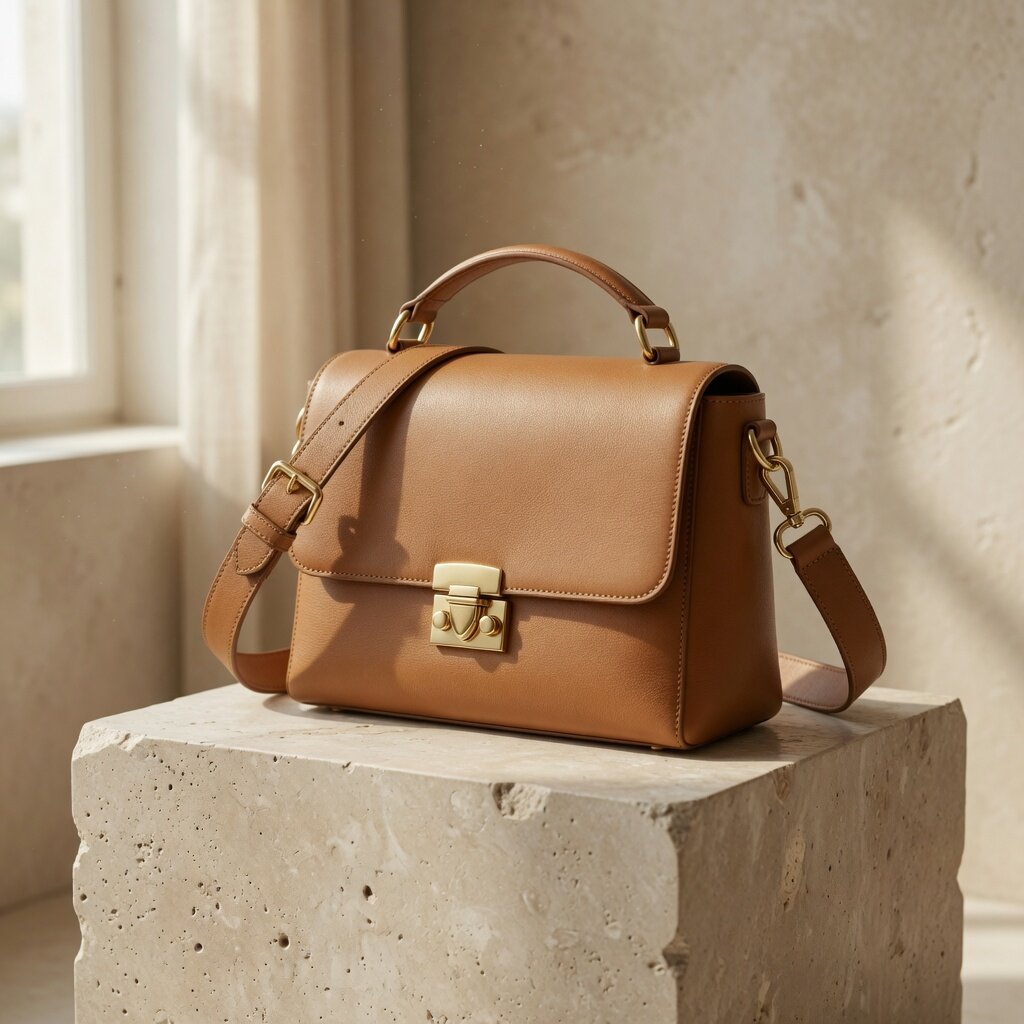
- Keep the product the hero. It should be the sharpest, best-lit thing in the frame. Props support the story but never compete with it in colour or size.
- Use few, relevant props. A book and a coffee cup next to a bag say "everyday". Ten objects say "clutter".
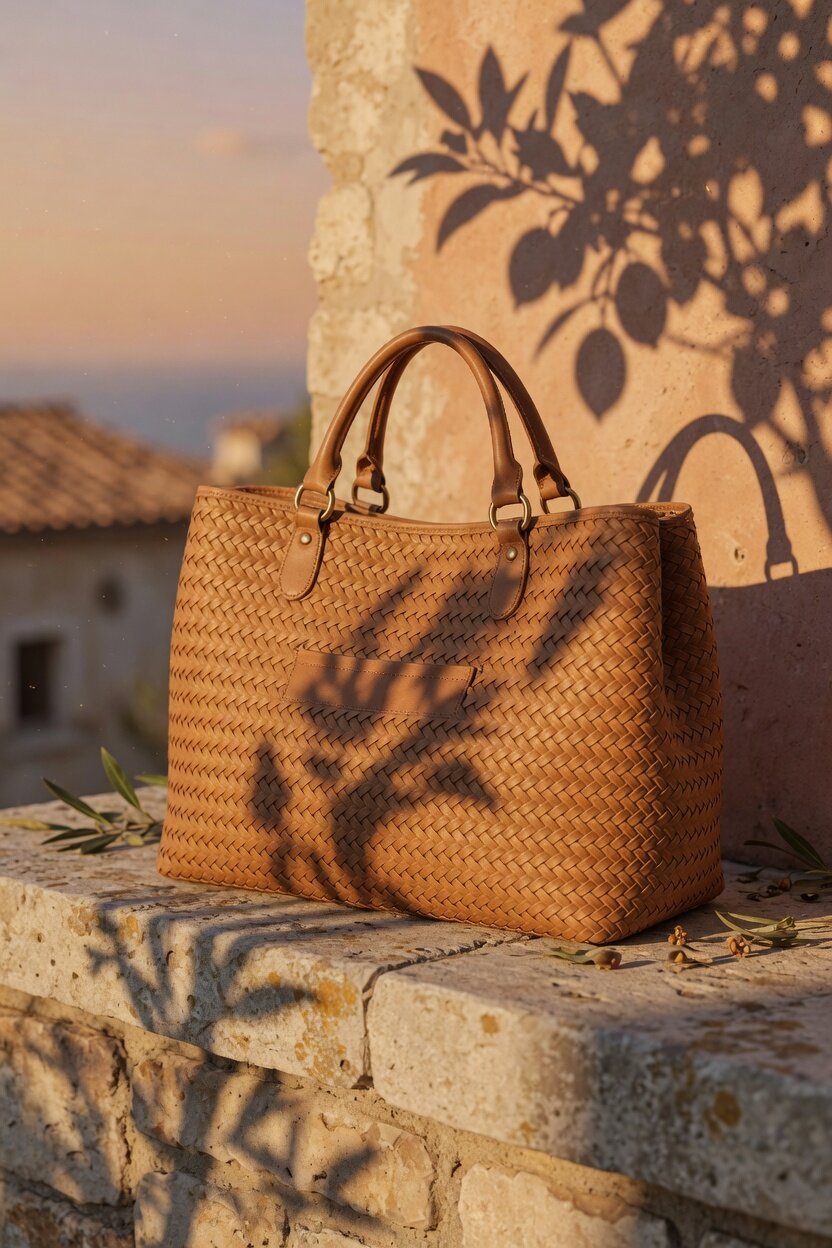
- Pick a palette. Neutral surfaces such as stone, linen, wood and plaster suit most products. Choose one accent colour that works with the product, not against it.
- Soft, directional light. Window light from one side gives shape and texture. Late-afternoon sun adds warmth but can shift colours, so keep one neutral image for colour reference.
- Show scale. A hand, a person or a familiar object helps shoppers judge size, which is one of the most common questions about accessories and home products.
- Frame for every channel. Leave space around the product so the same image can be cropped square for the feed, vertical for stories and reels, and wide for banners.
Common lifestyle photo mistakes
- The product is small in the frame or slightly out of focus
- Props or backgrounds that are louder than the product
- Warm or mixed light that changes the product's real colour, leading to "not as pictured" returns
- A different style for every product, so the store looks like a mood board instead of a brand
- Scenes that don't match the customer: a luxury setting for an everyday product, or the reverse
- Using a lifestyle image as the main image on a marketplace that requires a plain background
On-model images are lifestyle images too
For clothing, jewellery (see our guide to jewelry product photography), bags and footwear, the strongest lifestyle image is usually a person wearing or carrying the product. It shows fit, scale and styling in one picture. The problem for small brands is that model shoots are slow and expensive to repeat for every new product and colourway. That is where a consistent digital model helps: the same face and the same light across the whole catalogue. You can see how this works in the model try-on on our homepage, and read more in our guide to virtual try-on for fashion brands.
Making lifestyle images without a shoot
A traditional lifestyle shoot means a location, props, a photographer and often a model, booked again every season. AI product photography gives smaller brands another option. Starting from one clean photo of the real product, an AI production studio can place it into a styled scene, on a model, or in several seasonal settings, and then reuse those scenes for ads and product videos and reels.
The same rules still apply: the product must stay the hero, and the result must be accurate. AI can change colours, warp logos and text, or get hardware, stitching and proportions wrong, so every image needs a careful human check against the real product before it goes live. Keep size and material details in your product copy, because a styled image shows mood, not exact measurements. For more on the strengths and limits, see our practical guide to AI product photography.
Lifestyle product photo checklist
- Short brief written: setting, light, palette, props, person or not
- Product sharp, well lit and clearly the hero
- Colour checked against the real product in daylight
- Something in the frame that shows scale
- Same style across the whole collection
- Crops ready for square, vertical and wide formats
- Plain-background main image kept for marketplaces
Questions brands ask
Should I use lifestyle or white background product photos?
Both. Use a clean, plain-background image to show exactly what the product is, and lifestyle images to show scale, use and mood in the rest of the gallery, on social media and in ads.
Can I take lifestyle product photos at home?
Yes. A large window, one or two neutral surfaces and a few carefully chosen props are enough for many products. Consistency matters more than expensive equipment.
Can lifestyle product photos be made with AI?
Yes. From a clean photo of the real product, AI can create styled scenes and on-model images. Each one still needs a human check for colour, logos, materials and proportions.
Put your product in the right scene
Try the model try-on on our homepage, or email one clean photo of your product to info@agentsell.io. We'll come back with a plan and a quote.
Try it on a model